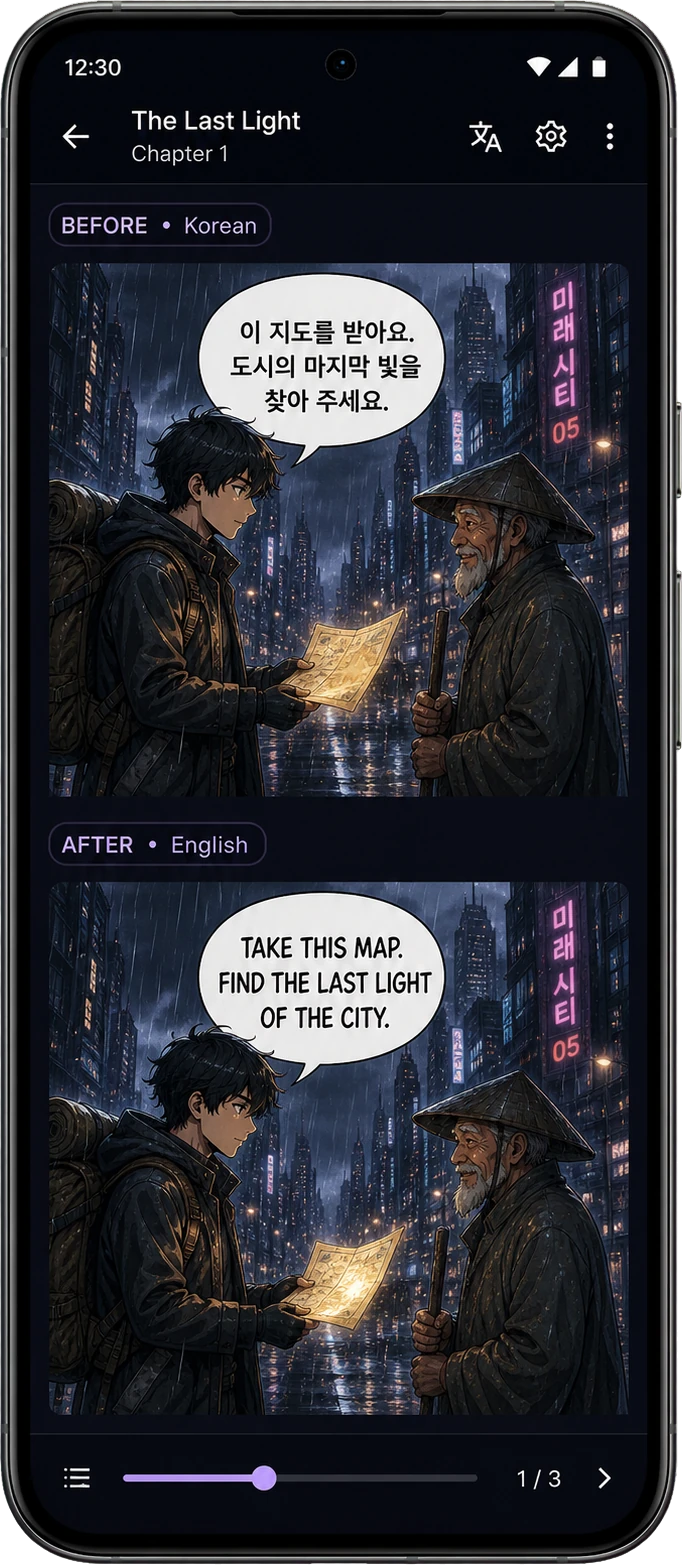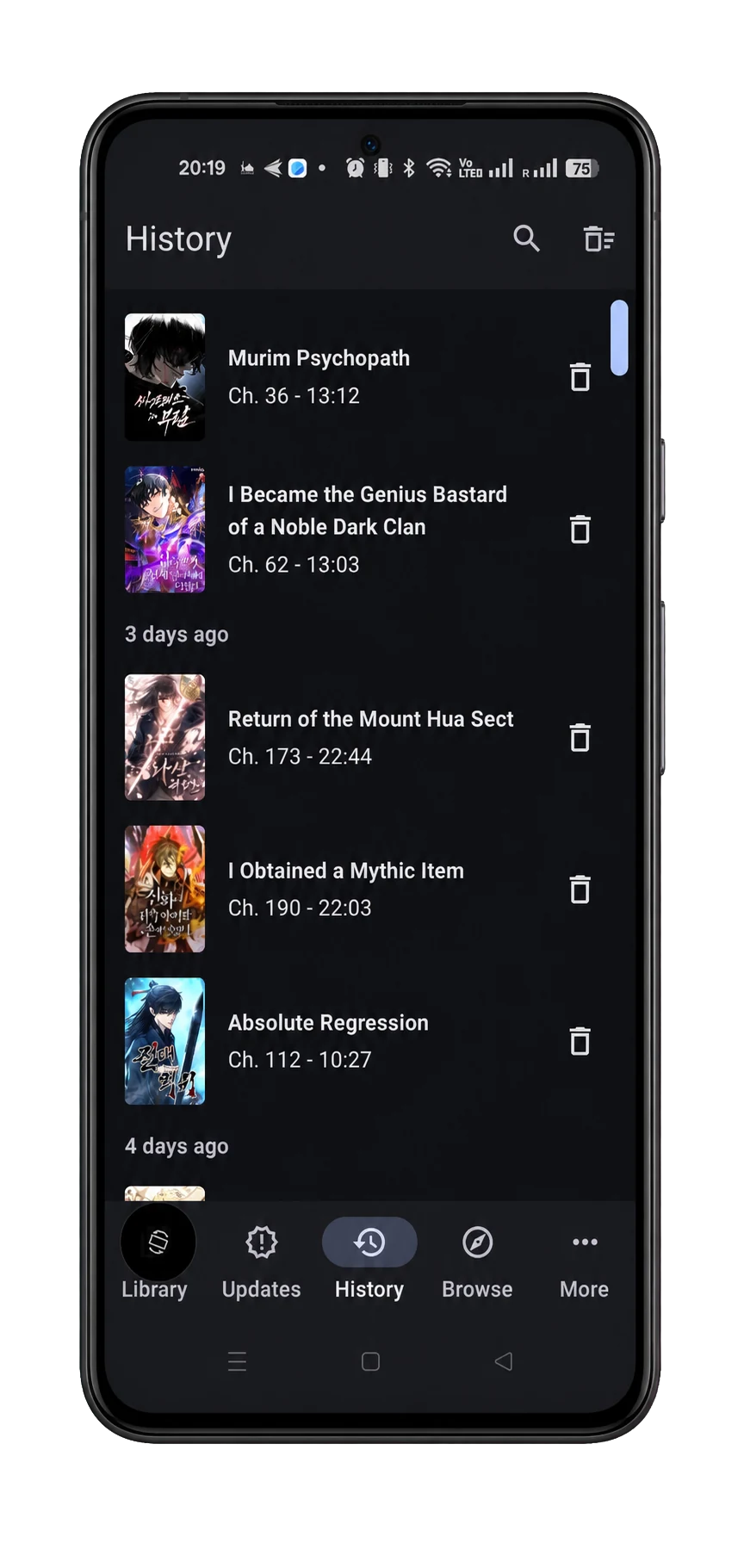

TachiyomiAT APK + hosted OCR trial

For TachiyomiAT, Tachiyomi and Mihon readers

TachiyomiAT APK with free trial and monthly token plans

Install the Nayovi Android APK from tachiyomiat.com when you search for TachiyomiAT, Tachiyomi AT, or Tachiyomi download. The app keeps a familiar reader flow while adding hosted OCR, paid token plans, redeem-code activation, and Mihon-style setup guidance.

APK

64 MB

Redeem code

Email delivery

Redeem code ready

Activate once in Nayovi.

Translation

OCR complete

Pro 250 plan, 250 chapters/month estimate.

Demo

See how it feels in the app

The goal is simple: open a chapter, activate your plan once, translate, and keep reading your manga or manhwa.

Video demo
Watch the current Android app flow from activation-ready library state to hosted translation.

Why it matters

Read manga, manhwa, and manhua in a familiar TachiyomiAT, Tachiyomi, or Mihon-style Android flow.
Start with free AI translator access, then use AI translation when pages need help.
Keep the reading flow simple instead of learning a technical setup.
Simple reading flow
Start from the app, let the service detect and translate the text, then continue reading manga, manhwa, or manhua normally.

In the app

Choose the chapter you want to read.
Start on a free trial, then add a redeem code if needed.
Launch the translation and keep reading.

In the service

Detect text on manga, manhwa, and manhua pages.
Translate the detected text.
Send back pages ready to read in the app.

Simple result

The goal is a smooth reading workflow that starts with low-risk testing and upgrades to recurring token plans when reading becomes weekly.

1. Pick a monthly plan
Choose the free or monthly plan that matches how much manga, manhwa, or manhua you translate every month.
2. Receive a redeem code
After payment, you receive your redeem code by email.
3. Add the code in the app
Enter the redeem code in Nayovi once to unlock your monthly plan.
4. Start translating chapters
Pick a chapter and launch manga translate AI, manhwa translate AI, or manhua translate AI when you need it in the Nayovi app.
Free manga AI translator
Open a chapter, launch AI translation, and move from the free trial to monthly token plans only when hosted OCR + translation proves useful.
Free manhwa AI translator
Text is detected cleanly on vertical manhwa pages, then you can scale to monthly token plans for repeat weekly reading.
Free manhua AI translator
Keep names, realms, and recurring terms consistent while reading manhua, with a clear path to paid recurring access when usage repeats.
Easy activation
No technical account setup. Install the APK, add your redeem code, and upgrade to a monthly plan when trial volume turns recurring.
Pricing

Simple monthly plans

Start with the official free trial, then choose a monthly plan that matches your normal chapter volume and reading rhythm.

Free 10
Free trial access
Free plan

Free

Limited to 2 chapters / day

Best forFree trial access
DetectionPowerful text scan
Limit2 chapters / day
Starter 50
Good to start
Monthly plan

$2.00

About 50 chapters / month

Best forGood to start
DetectionPowerful text scan
BillingMonthly renewal
Pro 250
Best for regular readers
Most popular

$10.00

About 250 chapters / month

Best forBest for regular readers
DetectionPowerful text scan
BillingMonthly renewal
Power 550
For heavy readers
Monthly plan

$20.00

About 550 chapters / month

Best forFor heavy readers
DetectionPowerful text scan
BillingMonthly renewal

Chapter estimates are simple approximations for normal monthly use.

Reviewer handoff

Send qualified readers to the right next step

Use these source-of-truth links when an Android review, AI-tool directory, creator platform, or partner note sends readers to Nayovi.

Official source
Reviewers and directories should point installs to the Nayovi download page, not an unsupported APK mirror.
Responsible workflow
Use owned, public-domain, official-sample, or permission-approved pages when testing OCR and translation.
Pilot access
Creator platforms, publishers, and reviewers can use a dedicated code before any public mention or paid-plan handoff.
The strongest referral path is install confidence first, then trial or reviewer-code activation, then pricing only when repeat translation demand is clear.
Partner proof

Useful context before a listing, pilot, or diligence reply

Qualified contacts can verify the official APK, responsible sample scope, and revenue signal path before asking for a code, call, or custom terms.

Press or directory review
Use the demo, official APK page, setup workflow, and pricing handoff before publishing a mention.
Creator or publisher pilot
Start with approved samples, source permission, OCR QA, and a clear stop point before any public sharing.
Investor or commercial diligence
Check the Android workflow, repeat-use signal, support path, and separated trial, review-code, and paid-plan attribution.
The best next step is a measurable test: install from the official source, activate trial or review access, use approved material, and decide whether the traffic is likely to become repeat paid usage.
Contact

Need help?

Use the form below if you have a question about plans, payment, activation, or app setup.

Contact formStored in support inbox
Talk to Nayovi
Ask us about plans, redeem codes, payment, or getting started in the app.
WhatsAppFastest reply

WhatsApp support

Fastest for payment, redeem-code, activation, and setup help.

Owner phone: +216 23 655 086

Message on WhatsApp

Send a detailed request

Tell us what you need in simple words and we will help you.

Support center

What happens next

We review your message and reply to the email address you entered.

Reply channel

Make sure you enter an email address you really use.

Billing and packs
Questions about plans, payment, or which offer fits your reading style.
Activation and devices
Need help with your redeem code or moving access to another device.
Download and setup
See where to download the app and how to start quickly.
General contact
Send a simple message if you need help before or after payment.
FAQ

Frequently asked questions

Quick answers for readers who just want to know how the service works.

Is Nayovi related to TachiyomiAT, Tachiyomi, or Mihon?
Nayovi keeps the Android reader workflow familiar for people searching TachiyomiAT, Tachiyomi, or Mihon, while focusing on hosted OCR, AI translation, activation, and support.
What can I translate?
Use manga translate AI, manhwa translate AI, or manhua translate AI only with content you own, content in the public domain, or content you have permission to process.
Do I need API keys?
No. The goal is a simple user flow: subscribe, receive a code, activate, and translate.
How do I get my redeem code?
After payment, the redeem code is sent to your email address.
Can I share my redeem code?
Yes. You can use one redeem code across approved devices or a small reading group, agency, creator team, or review test. Choose a plan that matches the total monthly usage.
Can I get more tokens?
Yes. If your monthly tokens run out, ask support for an additional redeem code.
How do I cancel a monthly plan?
Use the billing link from your checkout receipt or contact support with the receipt email so the subscription can be located and cancellation guidance can be sent.
What should I send for refund or billing help?
Send the checkout receipt email, redeem code, and a short description of the issue so support can review payment status, token delivery, and recent activation attempts.
Which plan should I choose?
Starter is good for trying the service, Pro is best for regular reading, and Power is for heavy readers.
When should I switch to paid plans?
Upgrade when one or more readers consistently translate multiple chapters per week; trial access is the test phase before recurring monthly tokens.
When should I upgrade from the free trial?
Upgrade when you translate regularly, need more monthly chapters, or want a redeem code that can support several devices or readers.
Can a reading group, agency, or creator team use one plan?
Yes. Pick the monthly token plan that matches the group volume, share the redeem code with approved users, and contact support if you need a custom monthly limit.
Which plan is best for affiliates or community demos?
Start with Pro if you need enough monthly chapters for repeat demos, reviews, or a small community test. Ask support for a dedicated code before publishing a public walkthrough.
Can reviewers or partners get a test code?
Yes. Reviewers, affiliates, community moderators, and publisher or platform teams can contact support for a scoped test code before publishing a walkthrough or partnership note.
Can publishers or platforms request a private workflow review?
Yes. Publisher, platform, and creator teams can ask support for a private review of approved-sample translation, glossary handling, hosted processing, and takedown-ready support before any public collaboration.
Where should business or investor questions go?
Use the support email with the subject line "Nayovi business inquiry" and include whether the request is about partnerships, affiliate tests, publisher workflows, or investor due diligence.
Is it monthly?
Yes. The plans renew every month until you cancel them.